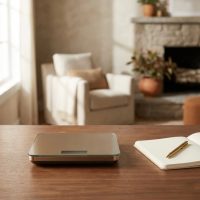
In the bustling heart of any kitchen, precision is paramount. Whether you’re a seasoned baker meticulously measuring flour, a health-conscious cook portioning ingredients, or simply someone who appreciates accuracy, a reliable kitchen scale is an indispensable tool. Among the myriad options, Taylor digital kitchen scales have carved out a significant niche, building on a legacy of accuracy that stretches back to 1851. But what exactly makes a Taylor scale a smart choice for your culinary adventures, and how can you get the absolute best out of it?

At Lodcs.com, we believe that understanding your tools is the first step to mastering your craft. So, let’s embark on a detailed exploration of Taylor digital kitchen scales, uncovering their features, how to use them, and essential tips for maintenance and longevity. For more kitchen scales guides on this site.
The Taylor Advantage: Why Choose a Digital Kitchen Scale?
Gone are the days of imprecise spring scales that left you guessing. Modern digital kitchen scales, like those from Taylor, offer a suite of benefits that elevate your cooking and baking to a new level.
Precision and Consistency
The most compelling reason to opt for a digital scale is its unparalleled accuracy. Taylor digital scales typically offer fine graduations, often down to 0.1 ounces or 1 gram, ensuring your measurements are exact every time. This precision is crucial for recipes where ratios matter, like delicate pastries or perfectly balanced sauces. Consistency in weighing ingredients means consistent results in your dishes.
Ease of Use and Readability
With crisp LCD or LED displays, reading measurements on a Taylor digital scale is straightforward. Many models feature backlighting, making them easy to read even in dimly lit kitchens. Their intuitive interfaces, often with just a few touch-sensitive buttons, simplify operation, allowing you to focus on your culinary task rather than fiddling with controls.
Versatility in Modern Kitchens
Taylor offers a diverse range of digital kitchen scales, each designed to meet different needs. From sleek, compact models perfect for small apartments to high-capacity workhorses capable of weighing large quantities, there’s a Taylor scale for every kitchen. They handle both dry and liquid ingredients with equal finesse, making them truly versatile.
Key Features to Look for in Taylor Digital Kitchen Scales
When choosing a Taylor digital kitchen scale, understanding the available features can help you select the perfect match for your cooking style.
Capacity and Precision
Taylor scales come in various capacities, from everyday models weighing around 11 pounds (5 kg) to robust, high-capacity versions that can handle up to 33 pounds (15 kg). The precision, or increment size, is equally important. While many offer 0.1 oz (1g) increments, some “ultra-precise” models boast 0.01 oz (0.1g) for extremely delicate measurements, ideal for spices or precise dietary tracking.
Platform Material
|
Our Picks for the Best Kitchen Scale in 2026
As an Amazon Associate I earn from qualifying purchases.
|
||
| Num | Product | Action |
|---|---|---|
| 1 | Tcsxady Food Scale, 11lb Digital Kitchen Scale with 6 Units LCD Display and Tare Function,Compact Design for Baking,Healthy Cooking,Meal Prep, 304 Stainless Steel |

|
| 2 | Etekcity Digital Food Kitchen Scale, Grams and Oz for Weight Loss, Baking and Cooking, 0.05oz/1g Precise Graduation,5 Weight Units, IPX6 Waterproof, USB Rechargeable,304 Stainless Steel-Silver, 22lb |
|
| 3 | Etekcity Food Kitchen Scale, Digital Grams and Ounces for Weight Loss, Baking, Cooking, Keto and Meal Prep, LCD Display, Medium, 304 Stainless Steel |
|
| 4 | KitchenAid KQ909 Dual Platform Digital Kitchen and Food Scale, 11 pound capacity and Precision 16oz capacity, Black with Stainless Steel |
|
| 5 | OXO Good Grips 11-Pound Stainless Steel Kitchen Scale with Pull-Out Display - Black |
|
| 6 | Electronic Kitchen Scale |
|
| 7 | Nicewell Food Scale, 22lb Digital Kitchen Scale Weight Grams and oz for Cooking Baking, 1g/0.1oz Precise Graduation, Stainless Steel and Tempered Glass (Ash Silver) |
|
| 8 | Digital Pocket Scale, High-Precision 500g x 0.01g Gram Scale with 50g Calibration Weight, Mini 6 Units Jewelry Scale with LCD Display, Tare Function for Food, Jewelry, Coin, Coffee, Battery Included |
|
| 9 | Food Scale -33lb Digital Kitchen Scale for Food Ounces Grams Rechargeable 304 Stainless Steel,Batteries and Type-C Charging - Perfect for Meal Prep, Cooking, and Baking, Black |
|
| 10 | Amazon Basics Digital Kitchen Scale with LCD Display, Batteries Included, Weighs up to 11 pounds, Black and Stainless Steel |
|
You’ll typically find Taylor digital kitchen scales with either tempered glass or stainless steel platforms. Both offer easy cleaning and a modern aesthetic. Stainless steel is often lauded for its durability and stain resistance, while tempered glass provides a sleek, non-absorbent surface that won’t hold odors. Choose based on your preference for durability versus aesthetics.
Display Clarity
A clear, easy-to-read digital display is non-negotiable. Many Taylor models feature bright blue backlights, which significantly improve readability in various lighting conditions. Pay attention to font size, especially if you have vision considerations, as some users have noted that smaller fonts can be a minor inconvenience when a large bowl obscures the view.
Tare Function
The “tare” function is arguably the most essential feature on any digital kitchen scale. It allows you to zero out the weight of a container (like a bowl or plate) or to add multiple ingredients to the same container, resetting the scale to zero after each addition. This eliminates the need for multiple bowls and simplifies complex recipes, making your cooking process smoother and more efficient.
Unit Conversion
Taylor digital kitchen scales typically offer multiple units of measurement, including grams (g), ounces (oz), pounds and ounces (lb:oz), milliliters (ml), and fluid ounces (fl oz). This flexibility is incredibly useful for international recipes or when converting between different measurement systems without needing a separate calculator. Switching between units is usually done with a simple press of a button.
Power Source & Auto-Off
Most Taylor digital scales operate on batteries, with common types being AAA or CR2032 lithium coin cells. Look for models with an “auto-off” feature, which conserves battery life by automatically shutting down after a period of inactivity. While some users report excellent battery longevity (some up to 10 years for certain models), others have experienced faster drain, so rechargeable options or easily accessible battery types can be a plus.
Special Features
Some advanced Taylor models boast features like a “hold” function, which freezes the weight on the display even after the item is removed, useful for large, awkward items. Waterproof construction is another excellent feature, making cleanup a breeze without worrying about damaging internal components. Touch control buttons, while sleek, can sometimes be less responsive on certain models, which is a minor point to consider.
Getting the Most Out of Your Taylor Scale: Usage Tips
Using a Taylor digital kitchen scale effectively is more than just pressing a button; it’s about understanding best practices to ensure consistent and accurate results every time.
Placement and Stability
Always place your scale on a flat, stable, and level surface. Uneven surfaces can lead to inaccurate readings. Avoid placing it near vibrations, drafts, or extreme temperature changes, as these can also affect precision.
Mastering the Tare Function
This is your best friend in the kitchen!
- Place an empty bowl or container on the scale.
- Press the “TARE” button (or sometimes “ZERO”). The display will reset to zero.
- Add your first ingredient.
- To add another ingredient, press “TARE” again, and the scale will zero out the current weight, allowing you to measure the next ingredient precisely in the same bowl. This is a game-changer for baking!
Switching Units
Most Taylor scales have a “UNIT” button. A quick press will cycle through available units (g, oz, lb:oz, ml, fl oz). You can often switch units even with an item already on the scale, and it will convert the displayed weight.
Interpreting Readings
While digital scales are highly accurate, remember that very small fluctuations can occur due to air currents or slight shifts in weight distribution. For critical measurements, ensure the reading stabilizes before recording. If you’re working with larger bowls, you might need to lean slightly to read the display, a small trade-off for their compact design.
Maintaining Accuracy: Calibrating Your Taylor Digital Kitchen Scale
Even the most dependable instruments benefit from a little tune-up. Calibrating your Taylor digital kitchen scale ensures it remains as accurate as the day you bought it.
Why Calibration Matters
Over time, factors like manufacturing tolerances, environmental changes (temperature, humidity), regular wear and tear, and even rough handling can cause your scale to drift out of alignment. Calibration corrects these deviations, bringing your scale back to its designated specifications and ensuring precise readings.
When to Calibrate
We recommend calibrating your Taylor scale at least once a month, or more frequently if you use it heavily or notice any inconsistencies in its readings. If your scale has been dropped, moved to a significantly different climate, or displays an error code indicating a calibration need, it’s definitely time for a check.
Step-by-Step Calibration Guide (General)
Prerequisites:
- Calibration Weights: You’ll need manufacturer-approved calibration weights specifically designed for your scale model. Check your scale’s manual for the exact weight required (e.g., 500g, 1kg).
- Stable Environment: Ensure your scale is on a flat, stable surface, free from vibrations, drafts, and sudden temperature changes.
General Procedure:
- Initial Setup: Place the scale on a hard, level surface. Remove any items from the platform.
- Power On: Turn on your scale. Wait for it to display “0.0” or “CAL” if it enters calibration mode automatically.
- Enter Calibration Mode: This step often varies by model.
- Some models may require you to press and hold a specific button (like “TARE” or “UNIT”) while turning it on, or a combination of buttons while off.
- Other models might have a dedicated “CAL” button.
- The display might show “CAL” followed by a specific weight (e.g., “500g”).
- Apply Calibration Weight: Carefully place the required calibration weight onto the center of the scale’s platform.
- Confirm/Save: The scale will usually process the weight. It might display “PASS,” “DONE,” or automatically reset to zero. Follow any on-screen instructions to confirm or save the calibration.
- Verify Calibration: Remove the weight. Turn the scale off, then on again. Place the calibration weight back on to confirm it reads accurately.
Troubleshooting Calibration Issues:
- Incompatible Weights: Double-check that your calibration weights match your scale’s requirements.
- Cleanliness: Ensure the scale platform and any crevices are free from debris, which can interfere with sensors.
- Persistent Inaccuracy: If issues persist, consider resetting the scale to its factory settings (consult your specific manual for instructions).
Care and Longevity: Keeping Your Taylor Scale in Top Shape
A little care goes a long way in ensuring your Taylor digital kitchen scale serves you accurately for years.
Cleaning
For models with glass or stainless steel platforms, cleaning is typically easy. Wipe the surface with a damp cloth and mild detergent. Crucially, avoid immersing the entire scale in water or placing it in a dishwasher unless it is explicitly advertised as waterproof. Water ingress is a common cause of electronic scale failure.
Battery Management
If your scale uses standard batteries, replace them when the low battery indicator appears to prevent inaccurate readings. If storing the scale for extended periods, it’s a good practice to remove the batteries to prevent leakage and potential damage.
Proper Storage
Store your scale in a clean, dry place where it won’t be subjected to heavy impacts or excessive weight on its platform. While many Taylor scales are durable, unnecessary stress can affect their sensitive internal components.
What Users Are Saying: Pros and Cons
Customer feedback offers a real-world perspective on Taylor digital kitchen scales. Overall, many users appreciate their performance, while some specific points are worth noting.
Pros frequently highlighted by users include:
- Affordable Price: Taylor scales often offer great value for their cost, making precision weighing accessible.
- Modern and Clean Appearance: The sleek designs, often with glass or stainless steel, complement contemporary kitchens.
- Simple Operation: Users find them easy to navigate and understand, with clear digital displays.
- Compact and Removable Parts: Many models are small, saving counter space, and some have easily removable platforms for cleaning.
- Good Battery Life: Many testimonials praise long-lasting batteries, with some users reporting years of consistent performance.
However, some drawbacks have also been mentioned:
- Scale Performance: While generally precise, some users have found certain models to be slow or inconsistent in specific scenarios.
- Battery Type: Some models use specific lithium coin batteries, which can be more expensive to replace than standard AAA batteries.
- Display Visibility: When using very large bowls, the display can sometimes be partially obscured, requiring users to lean to read it.
- Touch Controls: For a few older models, some users reported unresponsive touchpads.
- Inconsistent Functionality: A small percentage of users have experienced scales that stopped working reliably after a few months, with readings stuck at zero.
- Misleading Product Descriptions: At least one model was described as calculating nutritional data but only performed basic weighing.
“Choosing the right kitchen scale is a personal journey, but understanding the nuances of precision, features, and care can truly transform your cooking. Taylor has built a solid foundation of reliable tools, and with proper handling, they can be a trusted ally in your culinary endeavors,” shares Dr. Amelia Chen, a culinary science expert with Lodcs.com.
Frequently Asked Questions (FAQ)
How often should I calibrate my Taylor digital kitchen scale?
It’s generally recommended to calibrate your Taylor digital kitchen scale at least once a month, or whenever you notice inconsistent readings. Regular calibration ensures the scale maintains its accuracy over time due to environmental factors and usage wear.
Why is my Taylor scale giving inconsistent readings?
Inconsistent readings can be caused by several factors, including an uneven surface, drafts, extreme temperatures, debris under the platform, low battery, or a need for calibration. Ensure the scale is on a stable surface, clean, and has fresh batteries, then try recalibrating it.
Can I weigh liquids on my Taylor digital kitchen scale?
Yes, most Taylor digital kitchen scales can accurately weigh liquids. They typically offer unit conversions to milliliters (ml) or fluid ounces (fl oz) alongside grams and ounces, making them suitable for both dry and liquid ingredients. Just remember to use the tare function with a container.
What kind of batteries do Taylor scales use?
Taylor digital kitchen scales commonly use either AAA batteries or CR2032 lithium coin cell batteries, depending on the model. Check your specific scale’s manual or the battery compartment for the required type.
How do I clean my Taylor kitchen scale?
For most Taylor scales with stainless steel or glass platforms, wipe the surface with a damp cloth and mild soap. Avoid immersing the entire unit in water or putting it in the dishwasher unless the model is specifically designed to be fully waterproof, as this can damage the electronic components.
Conclusion
The Taylor digital kitchen scale stands as a testament to the blend of tradition and innovation, offering home cooks and professional chefs alike a reliable partner for precise measurements. From its crisp digital display and versatile unit conversions to the indispensable tare function, a Taylor scale empowers you to tackle any recipe with confidence. By understanding its key features, employing smart usage techniques, and committing to simple maintenance like regular calibration and proper cleaning, you’re not just buying a scale—you’re investing in consistent culinary excellence. So, go ahead, measure with confidence, and let your Taylor digital kitchen scale guide you to perfectly balanced and delicious results every time!
Cooking gear we tested in our own kitchens
Free PDF — preheat times measured on 10 popular air fryers.