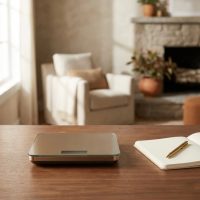
Ever wondered how professional bakers achieve such consistent, perfect results every time? Often, their secret lies not just in skill, but in precision – and that precision starts with a reliable kitchen scale. In the bustling world of home cooking and baking, where every gram can make a difference, the Amazon Basics Digital Kitchen Scale has emerged as a popular, budget-friendly companion for many. But owning one is just the first step; truly mastering it means understanding its nuances, optimizing its use, and ensuring its longevity.

As a seasoned veteran in the world of kitchen scales, with over a decade of hands-on experience and a passion for precise measurements, I’m here to guide you through everything you need to know about this handy device. From understanding its core features to practical tips for flawless accuracy and essential maintenance, we’ll turn you into a kitchen scale connoisseur. Let’s dive into making your culinary journey more precise and enjoyable with your Amazon Basics digital kitchen scale.
Understanding Your Digital Kitchen Scale: Beyond the Basics
At its heart, a digital kitchen scale is designed to measure ingredients by weight, offering a level of accuracy that volumetric measurements (like cups and spoons) simply can’t match. This is especially crucial for baking, where ingredient ratios are king, but it’s equally valuable for portion control, meal prepping, or even making the perfect cup of coffee.
The Amazon Basics Digital Kitchen Scale stands out for its straightforward design and user-friendly interface. Typically, it boasts a generous weighing platform, often made of stainless steel, capable of handling ingredients up to 11 pounds (approximately 5000 grams). This capacity is more than sufficient for most home cooking needs, from weighing a whole chicken to small batches of flour.
One of its most celebrated features is the “tare” function. Imagine you’re baking a cake. You place your mixing bowl on the scale, press the tare button, and the display instantly zeroes out, effectively “subtracting” the bowl’s weight. You can then add your first ingredient, tare again, add the next, and so on. This sequential weighing capability makes recipe execution incredibly efficient and clean.
The scale also offers multiple unit conversions, allowing you to switch seamlessly between grams, ounces, pounds, and kilograms with a simple press of a button. Some models even include fluid ounces and milliliters, though we’ll discuss the considerations for liquid measurements shortly. This versatility ensures you can follow recipes from around the globe without complicated conversions. It’s powered by a couple of AAA batteries, offering cordless convenience that keeps your kitchen counter tidy.
Choosing the Right Tool for Your Culinary Adventures
When you’re in the market for a kitchen scale, whether it’s your first or an upgrade, several factors should weigh into your decision. Of course, accuracy is paramount – a scale is only as good as its readings. Capacity is another key consideration; do you primarily weigh small quantities for spices, or do you need to handle larger batches for sourdough bread or big family meals?
Unit options are also important for flexibility. A scale that offers both metric (grams, kilograms) and imperial (ounces, pounds) measurements simplifies your life immensely, especially with the diverse range of recipes available online. Ease of cleaning is a practical concern; spills happen, so a smooth, wipeable surface is always a plus. Features like a tare function and a clear, readable display (backlit or otherwise) enhance usability.
The Amazon Basics Digital Kitchen Scale often emerges as a top contender, particularly for those seeking a balance of affordability, ease of use, and decent accuracy. While it might not have all the bells and whistles of professional-grade scales (like advanced backlighting or rechargeable batteries), it reliably performs the core functions needed for everyday cooking and baking. For many home cooks, its value proposition is hard to beat, making it a reliable workhorse without breaking the bank.
Unlocking Accuracy: How to Use Your Amazon Basics Digital Kitchen Scale
Getting the most out of your Amazon Basics digital kitchen scale isn’t rocket science, but a few simple practices can significantly enhance your accuracy and overall experience.
Basic Operation: A Quick Start Guide
|
Our Picks for the Best Kitchen Scale in 2026
As an Amazon Associate I earn from qualifying purchases.
|
||
| Num | Product | Action |
|---|---|---|
| 1 | Etekcity Digital Food Kitchen Scale, Grams and Oz for Weight Loss, Baking and Cooking, 0.05oz/1g Precise Graduation,5 Weight Units, IPX6 Waterproof, USB Rechargeable,304 Stainless Steel-Silver, 22lb |

|
| 2 | Tcsxady Food Scale, 11lb Digital Kitchen Scale with 6 Units LCD Display and Tare Function,Compact Design for Baking,Healthy Cooking,Meal Prep, 304 Stainless Steel |
|
| 3 | Etekcity Food Kitchen Scale, Digital Grams and Ounces for Weight Loss, Baking, Cooking, Keto and Meal Prep, LCD Display, Medium, 304 Stainless Steel |
|
| 4 | Amazon Basics Digital Kitchen Scale with LCD Display, Batteries Included, Weighs up to 11 pounds, Black and Stainless Steel |
|
| 5 | OXO Good Grips 11-Pound Stainless Steel Kitchen Scale with Pull-Out Display - Black |
|
| 6 | Nicewell Food Scale, 22lb Digital Kitchen Scale Weight Grams and oz for Cooking Baking, 1g/0.1oz Precise Graduation, Stainless Steel and Tempered Glass (Ash Silver) |
|
| 7 | Electronic Kitchen Scale |
|
| 8 | KitchenAid KQ909 Dual Platform Digital Kitchen and Food Scale, 11 pound capacity and Precision 16oz capacity, Black with Stainless Steel |
|
| 9 | Food Scale -33lb Digital Kitchen Scale for Food Ounces Grams Rechargeable 304 Stainless Steel,Batteries and Type-C Charging - Perfect for Meal Prep, Cooking, and Baking, Black |
|
| 10 | Digital Pocket Scale, High-Precision 500g x 0.01g Gram Scale with 50g Calibration Weight, Mini 6 Units Jewelry Scale with LCD Display, Tare Function for Food, Jewelry, Coin, Coffee, Battery Included |
|
- Placement is Key: Always place your scale on a flat, solid, and stable surface. Uneven surfaces or wobbly tables can lead to inconsistent readings. Think of it like a scientist in a lab – a stable foundation is non-negotiable.
- Power On: Press the power button (often integrated with the tare button) to turn on the scale. Wait for the display to show “0”.
- Choose Your Units: If you need to switch between grams, ounces, or pounds, press the “Unit” button (or “Mode” on some models) until your desired unit is displayed.
- Tare Function (Zeroing Out): This is your best friend. If you’re using a bowl or container, place it on the scale before adding your ingredients. Once it’s stable, press the “Tare” button. The display will reset to “0,” allowing you to measure just the ingredients. You can repeat this process as you add multiple ingredients to the same container, making layered measurements a breeze.
- Weigh Your Ingredients: Gently place your ingredients onto the scale or into your tared container. Read the weight once the display stabilizes. To turn off the scale, typically press and hold the power button for a few seconds.
Tips for Ensuring Accurate Readings
- Center Stage: Always try to place items in the center of the weighing platform. Placing them off-center can sometimes lead to slight discrepancies in readings, especially with less robust scales.
- Avoid Vibrations: Keep your scale away from vibrating appliances or surfaces that might shake, as this can interfere with the sensitive internal sensors.
- Mind the Gap (and Liquids): While your Amazon Basics scale might offer “fluid ounces” or “milliliters,” it’s crucial to understand that these modes often calculate volume based on the density of water. If you’re measuring something denser or lighter than water (like oil, honey, or flour), these volumetric readings will be inaccurate. For precise liquid measurements, always weigh them in grams or ounces (if the recipe provides weight measurements for liquids) or use proper liquid measuring cups.
- The “Slow Response” Challenge: Some users note that the Amazon Basics scale can have a slight delay when ingredients are added slowly, such as when pouring flour or liquid. This can lead to “overshooting” your target weight. My tip? As you approach your desired weight, slow down your pouring or adding process. Aim to stop just before the target, allowing the scale a moment to catch up and settle on the exact reading. It’s a small adjustment, but it makes a huge difference in precision.
“Achieving true culinary precision isn’t about expensive equipment; it’s about understanding and respecting the tools you have. Even a simple digital scale can transform your cooking, provided you use it smartly,” says Elias Vance, a master baker and culinary technologist at Lodcs.com.
Maintaining Your Scale for Lasting Performance
Just like any trusted kitchen gadget, your Amazon Basics digital kitchen scale benefits from a little TLC. Proper maintenance ensures its accuracy and extends its lifespan, keeping it ready for countless culinary adventures.
Cleaning Instructions
- Wipe it Down: The stainless steel or plastic surface of your Amazon Basics scale is designed for easy cleaning. Simply wipe it with a damp cloth after each use to remove any spills or crumbs.
- Gentle Cleaners: For stubborn messes, a mild dish soap solution on a damp cloth works wonders. Avoid harsh abrasive cleaners, scouring pads, or chemical sprays, as these can damage the display, buttons, or finish.
- Never Immerse: This is critical! Digital scales are electronic devices. Never submerge your scale in water or place it in a dishwasher. Moisture is the arch-nemesis of electronic components and can cause irreparable damage.
- Dry Thoroughly: Always ensure the scale is completely dry before storing it or using it again. Pay attention to the edges of the weighing platform and around the buttons where moisture might linger.
Battery Care
- Regular Checks: Your scale relies on AAA batteries. If you notice the display becoming dim, inconsistent readings, or the scale simply won’t turn on, it’s usually a sign that it’s time to replace the batteries. Keeping fresh batteries on hand is a good habit.
- Proper Insertion: Always ensure batteries are inserted correctly, following the positive (+) and negative (-) indicators in the battery compartment.
- Remove for Storage: If you plan to store your scale for an extended period (say, a month or more), it’s a good idea to remove the batteries. This prevents potential battery leakage, which can corrode the contacts and damage the scale.
Storage Tips
- Flat and Dry: Store your scale in a dry environment on a flat surface, away from extreme temperatures. Avoid placing heavy objects on top of it when stored, as this can stress the load cells and affect accuracy over time.
- Avoid Overloading: Be mindful of the scale’s maximum weight capacity (11 lbs or 5000g). Consistently exceeding this limit can damage the internal sensors.
- Gentle Handling: While digital scales are generally durable, they contain sensitive components. Avoid dropping your scale or subjecting it to harsh impacts.
Troubleshooting Minor Issues
- Erratic Readings or Not Turning On: First, check the batteries and replace them if they are low or dead. Ensure the battery compartment is clean and free of corrosion.
- Display Errors (“EEEE” or “UnSt”): An “EEEE” message usually means the scale is overloaded. Remove items immediately. An “UnSt” (unstable) message indicates the scale isn’t on a stable, flat surface.
- Resetting: If you encounter persistent issues, a simple reset can sometimes help. This often involves removing the batteries, waiting for 10-15 minutes, and then reinserting them. This can clear any minor electronic glitches.
- Calibration: For most home digital scales, including the Amazon Basics model, user calibration is not typically a routine procedure, nor is it always directly supported. Professional-grade scales may offer user calibration, but for this model, ensuring a stable surface and fresh batteries is usually sufficient. If you suspect significant inaccuracy, consult the product manual for specific instructions, as some models might have a hidden calibration mode (e.g., holding specific buttons simultaneously and using a known weight like a 5kg standard weight). However, for many, if basic troubleshooting doesn’t resolve accuracy issues, replacement might be the most practical solution.
Is the Amazon Basics Digital Kitchen Scale Right for You?
The Amazon Basics Digital Kitchen Scale truly shines as a fantastic entry-level or secondary scale for the average home cook. Its primary appeal lies in its affordability and straightforward functionality. It’s incredibly easy to use, making it an excellent choice for anyone new to weight-based measurements. For daily tasks like measuring ingredients for baking, portioning food for dietary needs, or simply weighing mail, its decent accuracy and quick readings are perfectly adequate.
However, it’s also important to set realistic expectations. While reliable, some users might find minor limitations. For instance, the lack of a backlit display can make readings challenging in dimly lit kitchens. As noted earlier, the response time when adding ingredients slowly might require a slight adjustment to prevent overshooting. And while it offers volume measurements, remember these are best reserved for water or when a recipe explicitly provides liquid weight.
From the perspective of Lodcs.com, a brand committed to precision, the Amazon Basics Digital Kitchen Scale represents excellent value. It democratizes accurate kitchen measurements, allowing more home cooks to experience the benefits of weighing ingredients without a significant investment. For culinary enthusiasts who demand absolute, fractional-gram precision for highly sensitive tasks, or those who prefer advanced features like rechargeable batteries and backlit displays, investing in a higher-tier scale might be warranted. But for everyone else, this Amazon Basics model is a robust, reliable, and highly recommended tool.
Frequently Asked Questions (FAQ)
How accurate is the Amazon Basics Digital Kitchen Scale?
The Amazon Basics Digital Kitchen Scale is generally considered accurate for most home cooking and baking needs, typically measuring within a 1-2 gram margin of error. While some very sensitive tasks might require scales with higher precision, it performs reliably for everyday use.
Can I measure liquids with my Amazon Basics kitchen scale?
Yes, you can measure liquids. However, if your scale has a “fluid ounce” or “milliliter” mode, be aware that these measurements are usually calibrated for water. For accurate liquid measurements of ingredients other than water (like oil or honey), it’s best to weigh them using the gram or ounce mode if your recipe provides weight-based liquid measurements.
How do I calibrate my Amazon Basics digital kitchen scale?
Most Amazon Basics digital kitchen scales are not designed for user calibration in the traditional sense. They are typically factory-calibrated. If you suspect inaccuracy, first try replacing the batteries and ensuring the scale is on a flat, stable surface. Some specific models might have a hidden calibration sequence (e.g., holding certain buttons during startup and using a known weight like a 5kg standard), so always refer to your specific model’s manual for any available instructions.
What batteries does the Amazon Basics kitchen scale use?
The Amazon Basics Digital Kitchen Scale typically uses two AAA batteries. These are often included with your initial purchase.
How do I clean my digital kitchen scale?
To clean your digital kitchen scale, simply wipe the surface with a damp cloth, optionally using a mild dish soap solution for tougher spots. Always dry it thoroughly afterwards. Never immerse the scale in water or place it in a dishwasher, as this can damage the electronic components.
Elevate Your Culinary Journey
The Amazon Basics Digital Kitchen Scale is more than just a gadget; it’s an essential tool that empowers you to cook and bake with greater confidence and consistency. By understanding its features, using it correctly, and giving it the care it deserves, you unlock a new level of culinary precision in your kitchen. Whether you’re a seasoned chef or a budding home cook, integrating this simple yet powerful device into your routine will undoubtedly enhance your results.
So go ahead, embrace the power of precise measurement! Experiment with new recipes, perfect your family favorites, and enjoy the satisfaction of consistent, delicious outcomes. For more in-depth knowledge, advanced techniques, and expert advice on all things kitchen scales, remember to explore lodcs.com – your trusted resource for mastering kitchen technology. Happy weighing, and even happier cooking!
Cooking gear we tested in our own kitchens
Free PDF — preheat times measured on 10 popular air fryers.